Practice guitar with your
tabs and backing tracks.
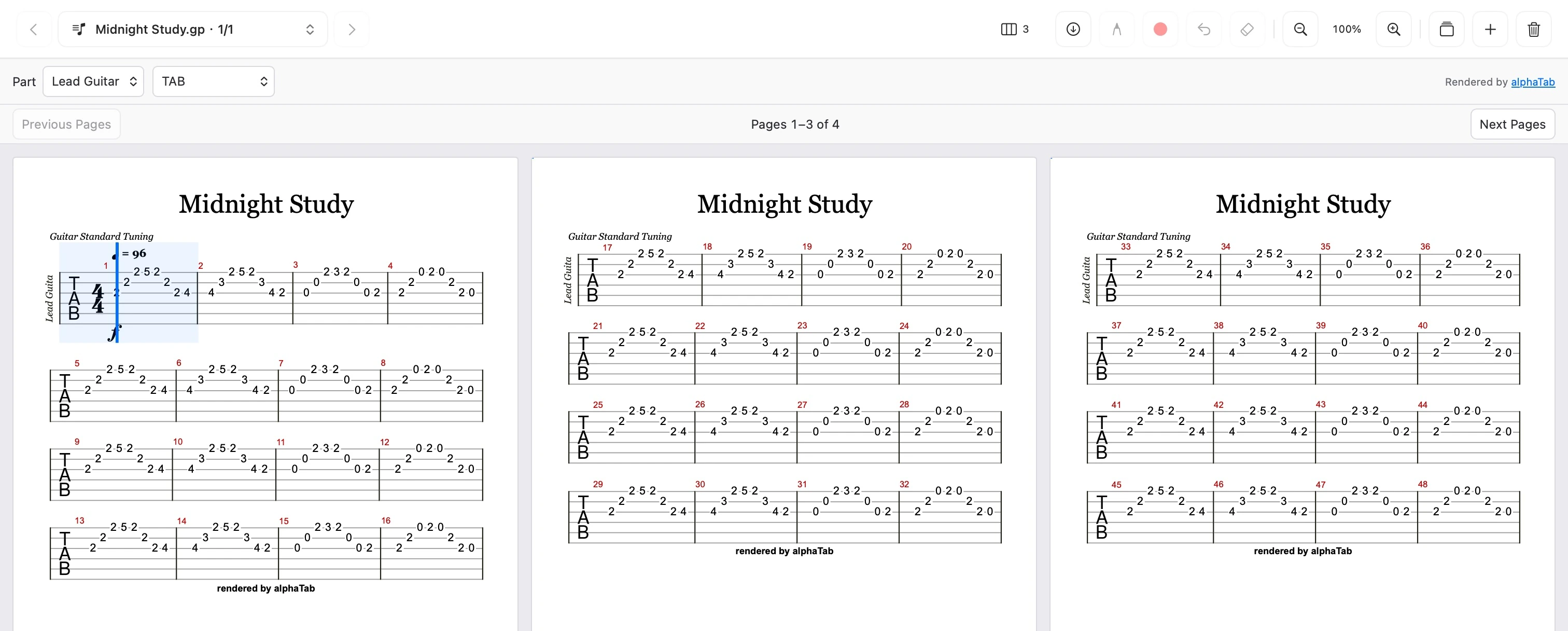
Keep PDF scores and Guitar Pro tabs in view. Slow down your own audio, loop the hard part, and pick up where you left off.
macOS 14+ Local-first
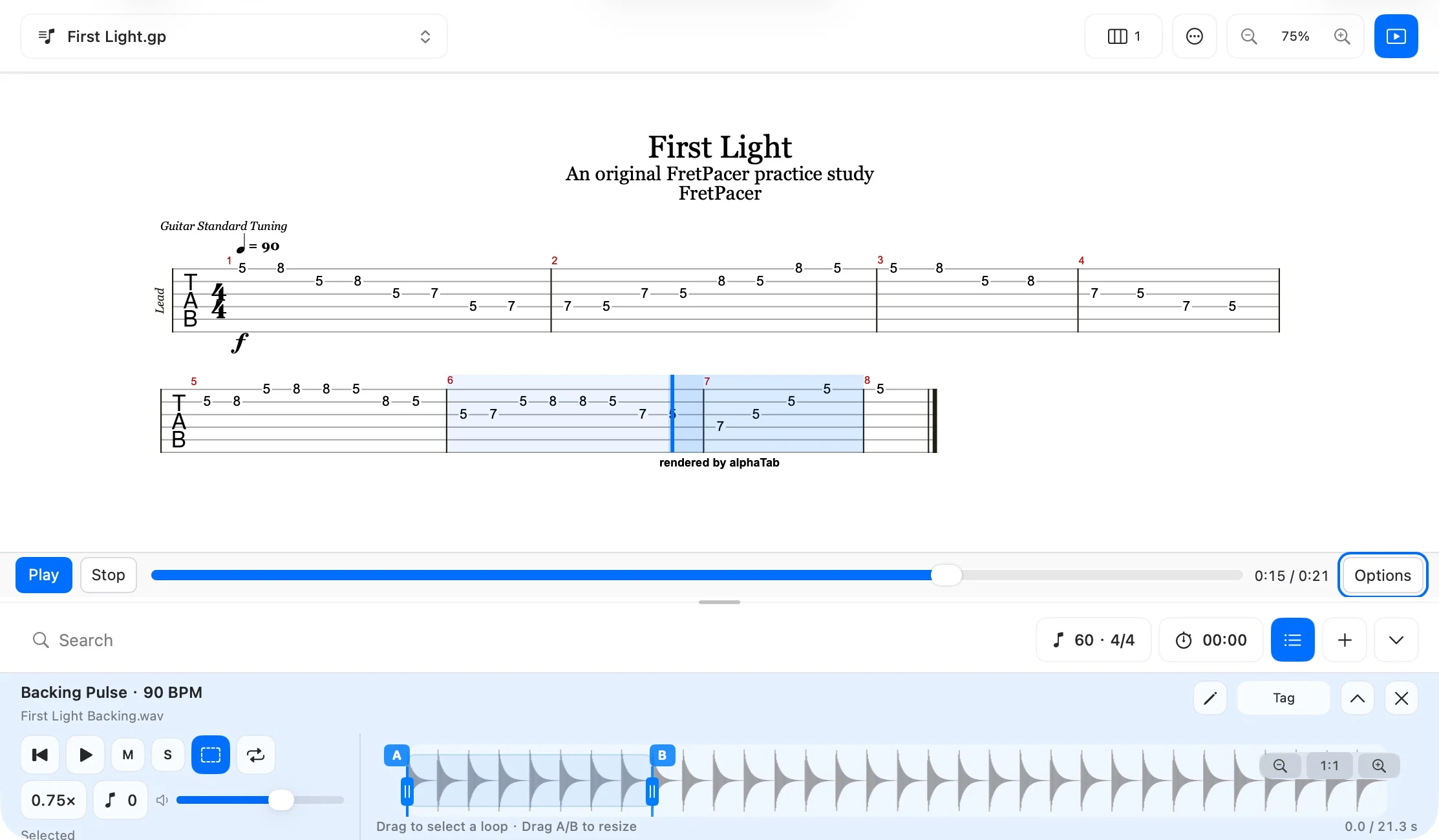
Scores + audio
Slow down. Loop. Repeat.
PDF + Guitar Pro
THE FILES YOU ALREADY USE
All your formats. One place to practice.
Bring your scores, backing tracks, and video references together. Keep the music you know, in the formats you have.
PDF scores
Your sheet music, ready to read.
Guitar Pro
GP3 · GP4 · GP5 · GPX · GP
Read the tab. Hear the part.
Score images
PNG · JPG · JPEG
Keep a scan or a score image.
Audio tracks
MP3 · M4A · WAV · FLAC
Backing tracks, takes, and more.
Local video
MP4
Keep a walkthrough close.
Video links
YouTube · Bilibili
Save a reference for later.
Your local files stay on your Mac. Video links play online.
A LITTLE ORDER. A LOT MORE FOCUS.
Less searching. More playing.
Browse by type, keep favorites close, and build collections for the music you want to work on.
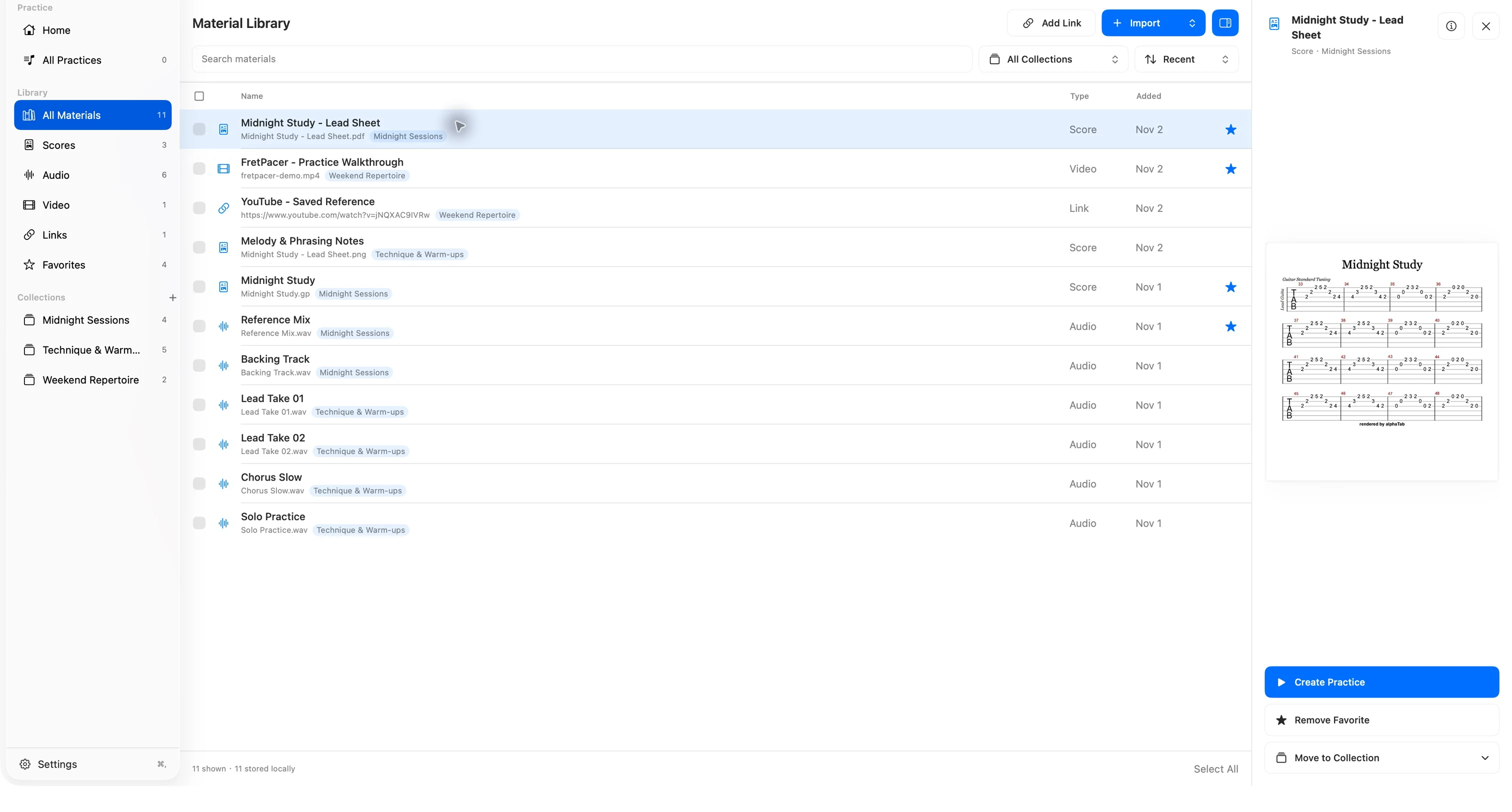
Every reference, in one library.
Scores, tracks, videos, and saved links sit together, with clear names and file types.
READY WHEN YOU ARE
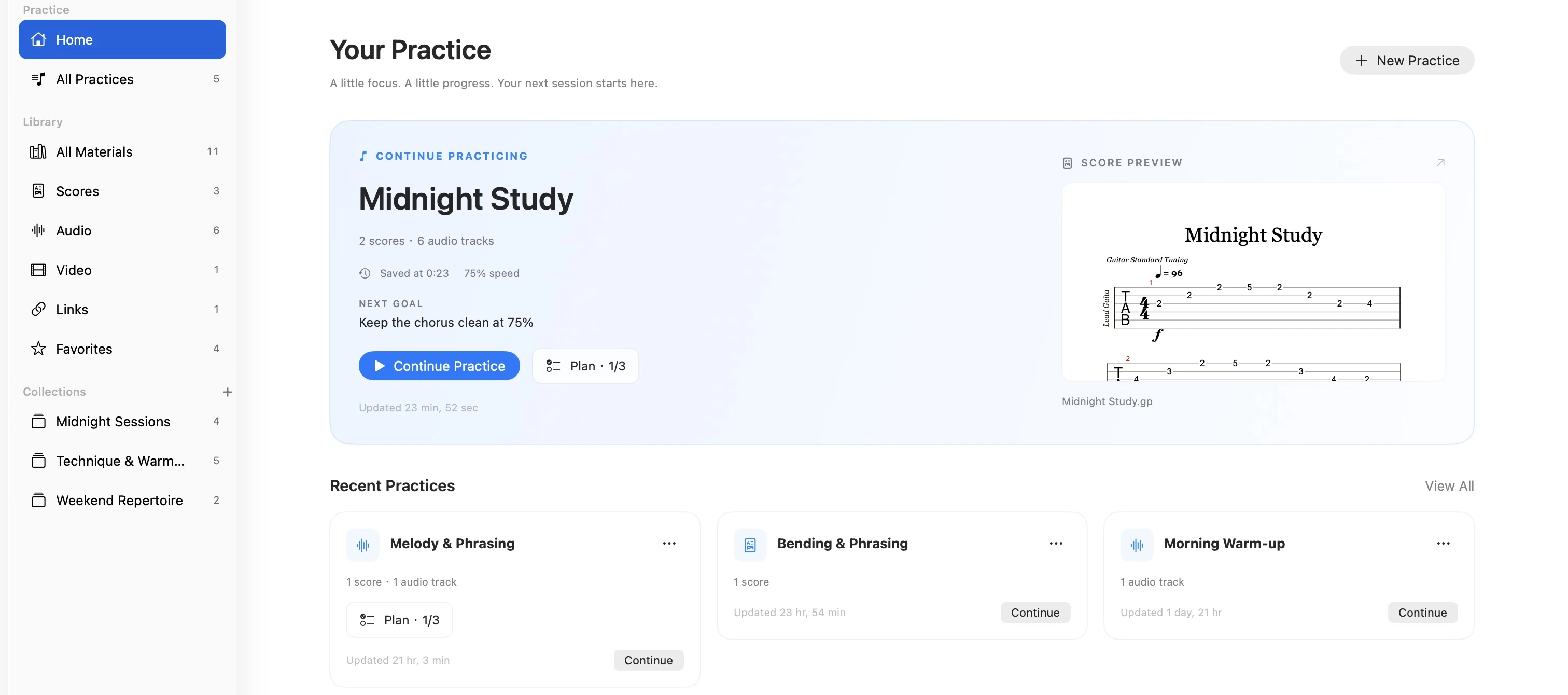
Pick up right where you left off.
Your Home brings the next session into focus, with a recent practice, a score preview, and your next goal.
- Continue a recent practice
- See your next practice goal
- Keep scores and audio together
More music. Fewer page
turns.
Read one centered page, see two or three pages side by side, or let the layout adapt to your window.